Decide what the log needs to remember
A project log is different from a task list. A task list tells you what to do next; a log helps you remember what you tried and why you made a choice. It can be useful for projects you might repeat, revise, or explain to someone else later. Before drawing boxes, imagine reopening a completed project after several months. What would you wish you had written down?
Start with a small set of fields: project name, date or session, intended outcome, materials or tools, and a short account of what changed. Add a place for the next step if the work spans multiple sessions. Keep specialist details optional. A person testing paper might need a field for paper type, while someone arranging a printable worksheet might care more about page size and file version. An open notes area accommodates both without crowding the page.
Give each kind of information its own space
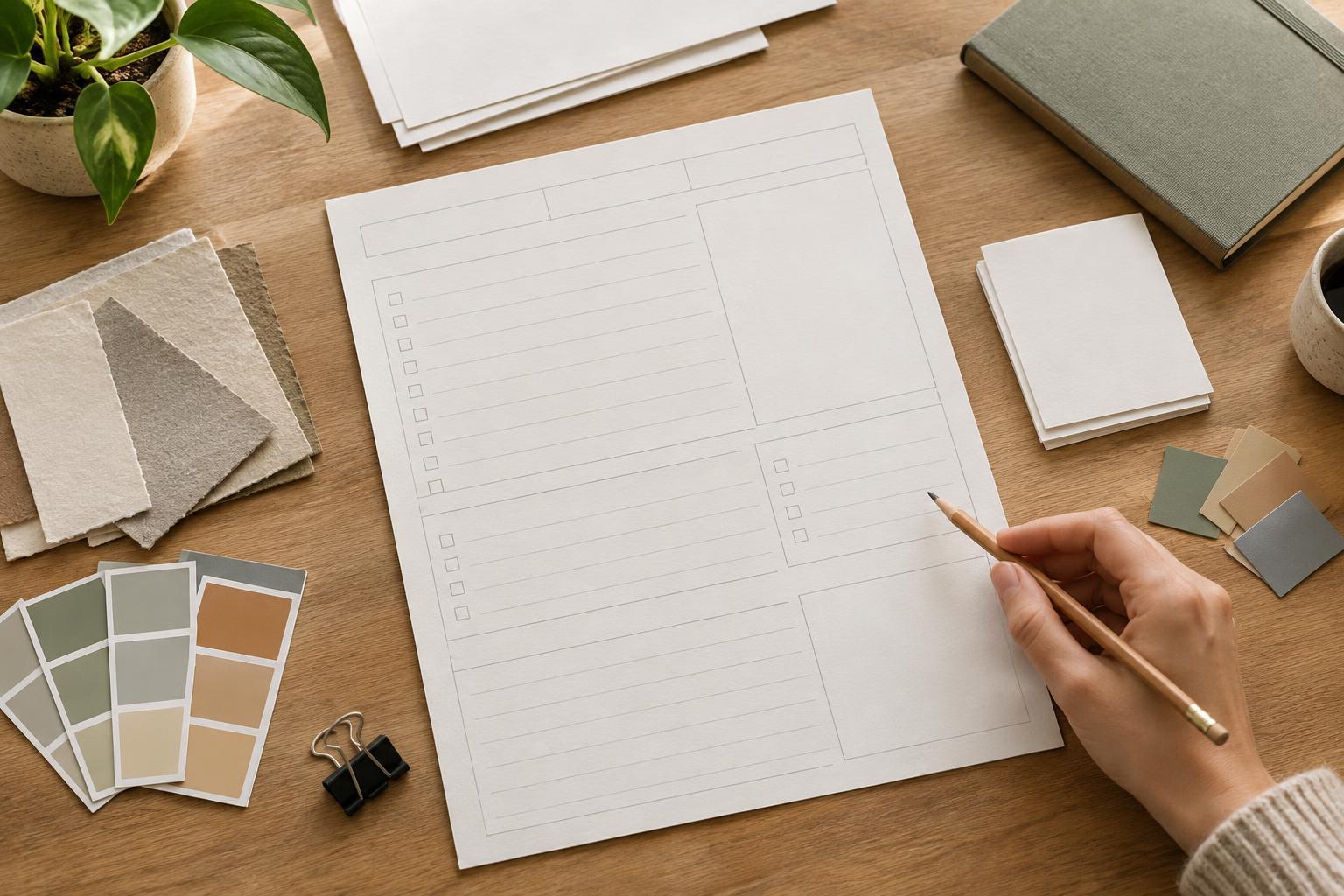
Put identifying information in a compact band at the top, where it will be easy to spot in a folder. Below it, divide the page into three areas: setup, work done, and outcome. This follows the order in which someone might complete the log. A short setup area can hold the goal and materials; a larger middle area can record tests and decisions; the bottom can hold results and what to try next.
Give the largest writing area to observations rather than administrative details. If the form asks for a long description of every tool but leaves only two lines for what happened, it may be hard to use during real work. For ideas about the different details a maker might want to record, browse Studio Practice · Printmaking Notebook and then choose only the fields that suit your own process.
Use labels that prompt concrete entries. “What changed?” is often easier to answer than “Notes,” and “Keep, revise, or discard?” gives a clearer cue than “Status.” Leave enough blank space for handwriting, including room for an unexpected result. Lines can guide entries, but a large unlined box may work better for sketches, measurements, or a quick diagram.
Make versions and decisions easy to trace
Creative work often involves several attempts that look similar later. Include a simple version identifier, such as a numbered attempt or a file name written by hand. If the log will cover one session per page, add a small “related pages or files” field so the reader can connect the record to earlier attempts. Avoid relying on color alone to distinguish versions; plain text labels will remain useful in a black-and-white printout.
A decision field is valuable because it captures more than a result. Try pairing “What did I choose?” with “Why?” For example, a layout maker might record that they widened a writing box because the first print test felt cramped. The point is not to justify every adjustment; it is to preserve the reason behind changes that would otherwise be difficult to reconstruct. If you are recording work produced in multiple versions, Editions and Presentation · Printmaking Notebook offers a natural place for further browsing around how editions and presentation can be discussed.
Do not force a project log to become a complete archive. A few reliable references to related files, samples, or notebook pages may be more useful than a crowded page of tiny fields. If historical context is part of what you want to preserve, browse Printmaking History · Printmaking Notebook for ideas about the kinds of background you may want your own records to make understandable later.
Test the page during an ordinary work session
Print one copy at the size you expect to use and fill it out while doing a modest project. Notice where you hesitate: a confusing label may need rewriting, while an empty box might be unnecessary. Check whether the writing spaces fit your usual pen and whether important information remains clear if the page is copied in grayscale. Leave comfortable margins so the form remains readable in a binder or folder.
Revise the template based on what you actually recorded, not everything you can imagine recording. If you repeatedly squeeze explanations into a margin, enlarge the observations area. If you never use a field, remove it or turn it into optional notes space. The best reusable log is not the most detailed one; it is the one you can complete quickly enough to keep using.