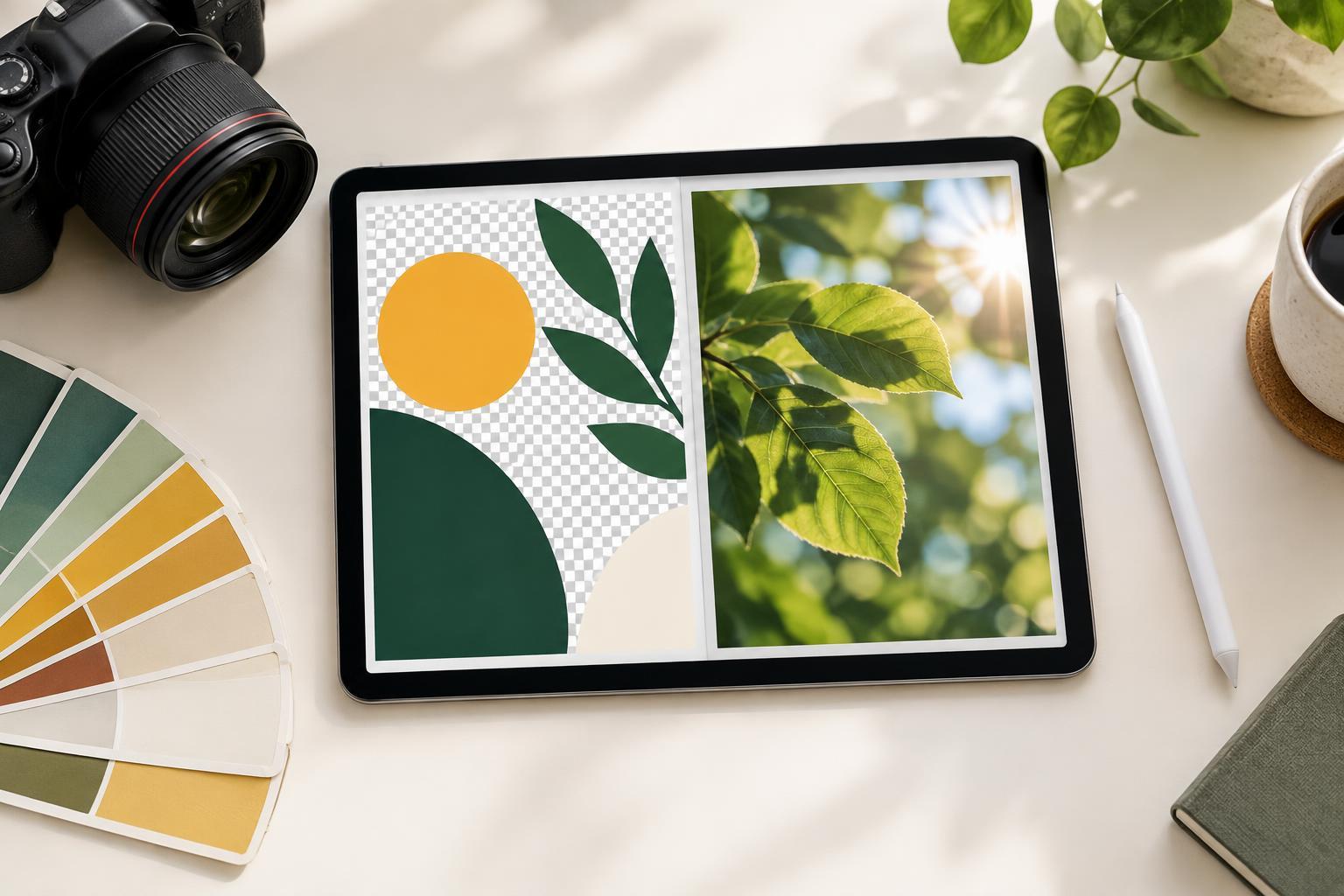
Start with what your graphic contains
Choosing between PNG and JPEG is less about finding one “best” format and more about protecting the parts of your design that matter. A quote card with small lettering has different needs from a full-bleed photograph. Before exporting, look at your graphic: Is it mostly text and flat shapes, mostly photography, or a mixture? Does it need a transparent background?
PNG is often a good starting point for graphics with typography, icons, logos, lines and large areas of solid color. JPEG is often a practical choice for photographs or designs built mainly from photographic imagery. Either format can be used for a finished social post with an opaque background; the difference is what happens to fine detail and file size when you save it.
What PNG preserves
PNG uses lossless compression, so saving a PNG does not introduce the blocky or fuzzy artifacts associated with JPEG compression. That makes it useful for crisp letterforms, thin rules and clean boundaries between colors. If your graphic includes a small label or a detailed icon, those edges are worth checking closely in the exported file.
PNG also supports transparency. Use it when an element needs to sit over another background, such as a logo or decorative overlay without a visible rectangle around it. A completed social graphic with its own background does not need transparency, though; export it with the intended background in place if that is what viewers should see.
The trade-off is file size. A photo-heavy PNG may be much larger than a similar-looking JPEG. PNG cannot rescue text that was too small to read in the original design, either. It preserves the pixels you export; it does not add detail that was never there.
When JPEG makes sense
JPEG is designed to compress image data by discarding some detail. For a photograph, especially one without small overlaid text, that trade-off can produce a manageable file while keeping the image visually useful. JPEG does not support transparency, so any transparent areas must be replaced with a background before export.
Compression becomes more noticeable around sharp edges and high-contrast type. You might see faint halos around letters, softness in an icon or blotchy patches in a smooth background. If your design has text on top of a photo, JPEG may still work well, but inspect the text rather than judging the photograph alone. If your editor offers a quality setting, start at a high setting and reduce it only if you need a smaller file. Repeatedly editing and resaving a JPEG can add more degradation, so keep an editable original and make fresh exports from it.
Make the choice using the finished design
For a text-led announcement, illustrated tip card or graphic with flat-color blocks, try PNG first. For a photographic post with little or no text, try JPEG. For a photo with prominent lettering or graphic overlays, export both and compare them at the size people are likely to view. Zooming in can reveal artifacts, but a normal-size view helps you decide whether they affect the result.
Do not treat file format as a substitute for correct dimensions. Set the canvas to the proportions and pixel size needed for the placement you are designing, and keep important type comfortably readable. Pixel dimensions matter more to a screen graphic than a print-style resolution label such as dots per inch. Some publishing platforms may also resize or recompress uploads, so the file you export may not be identical to the version viewers see.
A quick pre-posting export check
Open the exported file outside your design editor before uploading it. Check that the crop is right, the background is present or transparent as intended, and the smallest text is still clear. Look along letter edges, icons and areas of smooth color for unwanted artifacts. If a JPEG looks soft, try a higher-quality export or compare it with PNG. If a PNG is inconveniently large and the design is mostly photographic, compare it with a JPEG.
Keep your editable design file separate from the image you post. That way, you can adjust dimensions or make a new export without rebuilding the layout or relying on an already compressed image. The simplest rule is a useful starting point, not an absolute: favor PNG for sharp graphics and transparency, favor JPEG for photos, and let a close look at the actual export settle mixed cases.